
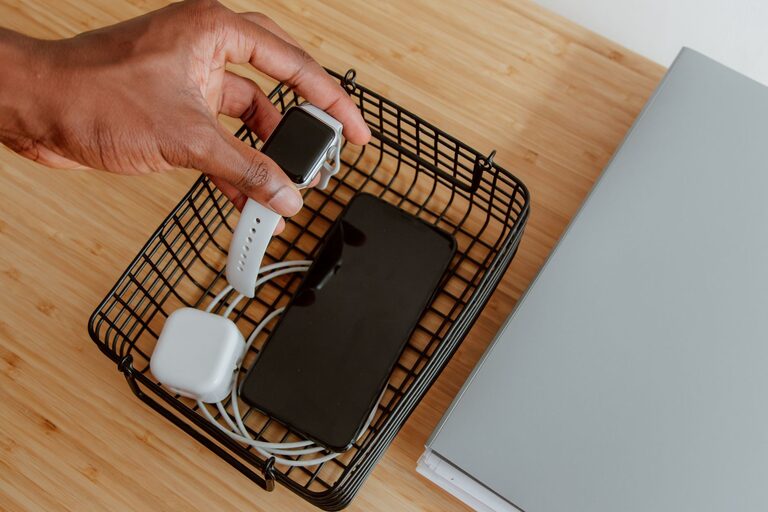
Setting up a charging station for your devices is a simple way to keep your home organized while ensuring all your gadgets are powered and ready to use. Whether you have smartphones, tablets, laptops, or other rechargeable electronics, a dedicated charging area helps prevent clutter and reduces the frustration of searching for outlets or cords.
In this post, we’ll guide you through the process of creating a practical, safe, and efficient charging station that fits your needs.
Why Create a Charging Station?
Before diving into the setup, let’s look at some benefits:
– Organization: Keeps all devices and chargers in one spot.
– Efficiency: Charges multiple devices simultaneously.
– Safety: Reduces risks of tangled cords and overloaded outlets.
– Convenience: Makes it easy to grab fully charged devices.
Step 1: Choose the Right Location
Selecting a good spot is key to a successful charging station.
– Accessibility: Pick a place where you often use your devices, such as a living room corner, home office desk, or kitchen counter.
– Power Source: Ensure there are enough electrical outlets nearby.
– Ventilation: Avoid confined spaces to prevent overheating of devices and chargers.
– Surface: Use a stable, flat surface like a small table, shelf, or a dedicated charging dock.
Step 2: Gather Your Charging Equipment
Collect all necessary items before setting up.
– Power Strip or Charging Hub: Choose a surge-protected power strip or a multi-port USB charging station to accommodate many devices at once.
– Charging Cables: Use quality cables compatible with each device. Consider shorter cables to reduce clutter.
– Cable Organizers: Items like cable clips, ties, or sleeves help keep cords tidy.
– Device Holders: Small stands, trays, or boxes can keep devices upright and secure.
– Labeling Materials (optional): To identify cables or charging ports easily, especially if multiple people use the station.
Step 3: Organize Your Cables
Managing cables is crucial for a neat charging area.
– Sort by Type and Length: Group cables by device type or length for easy access.
– Use Cable Clips or Hooks: Secure cables along the desk edge or wall to prevent tangling.
– Cable Sleeves or Boxes: Bundle cables together or hide excess length inside cable management boxes.
– Color-Code or Label: Use colored tape or tags to distinguish each cable quickly.
Step 4: Set Up Charging Ports and Power Sources
Decide how devices will connect to power.
– Multi-Port USB Chargers: These hubs can power multiple smartphones and accessories from one outlet.
– Power Strips with USB Ports: Useful when devices require traditional outlets and USB ports.
– Wireless Charging Pads: Ideal for compatible devices, reducing cable use.
– Placement: Position charging stations close enough to each device holder for cables to reach without strain.
Step 5: Arrange Device Holders and Accessories
Keep devices organized and easy to access while charging.
– Stands or Docks: Use stands that hold devices vertically to save space.
– Trays or Boxes: Collect smaller devices, earbuds, and accessories.
– Label Each Spot: Especially helpful in shared spaces to keep devices separate.
– Keep Frequently Used Devices Front and Center: So you can grab them quickly.
Step 6: Implement Safety Measures
Safety should always come first.
– Avoid Overloading Outlets: Check the power strip’s capacity and do not plug in too many high-power devices.
– Use Surge Protectors: To protect devices from power spikes.
– Keep the Area Dry: Avoid placing liquids near the charging station.
– Regularly Inspect Cables and Chargers: Replace damaged items promptly.
– Ventilation: Avoid covering chargers or devices to prevent overheating.
Step 7: Maintain and Customize Your Charging Station
Keep your station functional and personalized.
– Regular Cleanup: Detangle cables and dust the area weekly.
– Update Equipment as Needed: Replace cables or chargers that become outdated.
– Customize Appearance: Add decorative elements like mats, stickers, or lighting to make the station inviting.
– Adapt for New Devices: As technology changes, add compatible charging options.
Additional Tips for a Successful Charging Station
– Prioritize Fast Charging: Use chargers that support your devices’ fast charging standards.
– Use Smart Chargers: Some chargers detect device needs and adjust power accordingly.
– Consider Portability: If you travel frequently, design a portable charging setup.
– Encourage Household Use: Make it a shared spot to reduce rogue chargers and cables throughout the home.
—
Creating a dedicated charging station is an easy project that significantly improves how you manage your devices. With proper planning, organization, and safety in mind, your charging station will keep your electronics ready and your space clutter-free.
Start today by choosing a location and gathering your equipment. Soon, you’ll enjoy the convenience of a neat, efficient charging hub tailored to your lifestyle.